
Patient trust in the age of AI depends on visible accountability: people should know who is answering, what the tool can do and how to reach a person. Use disclosure, verification, review and handoff checks before launch.
Start with one patient-facing workflow, such as a website assistant that answers questions about office hours and locations. Have the office manager, marketing lead and privacy reviewer walk through it together. Use the checks below to find gaps before patients encounter them.
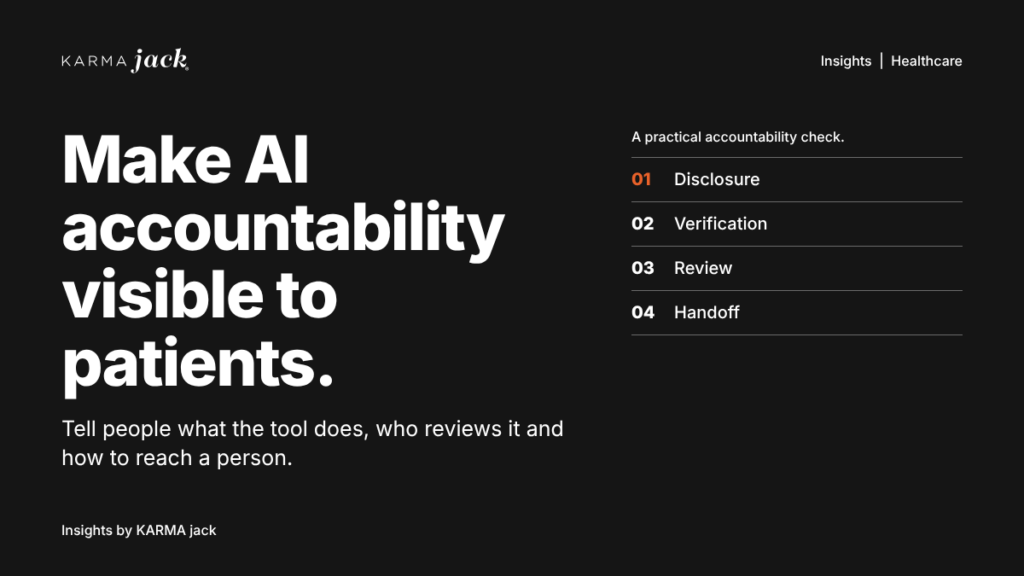
Four checks for accountable healthcare AI
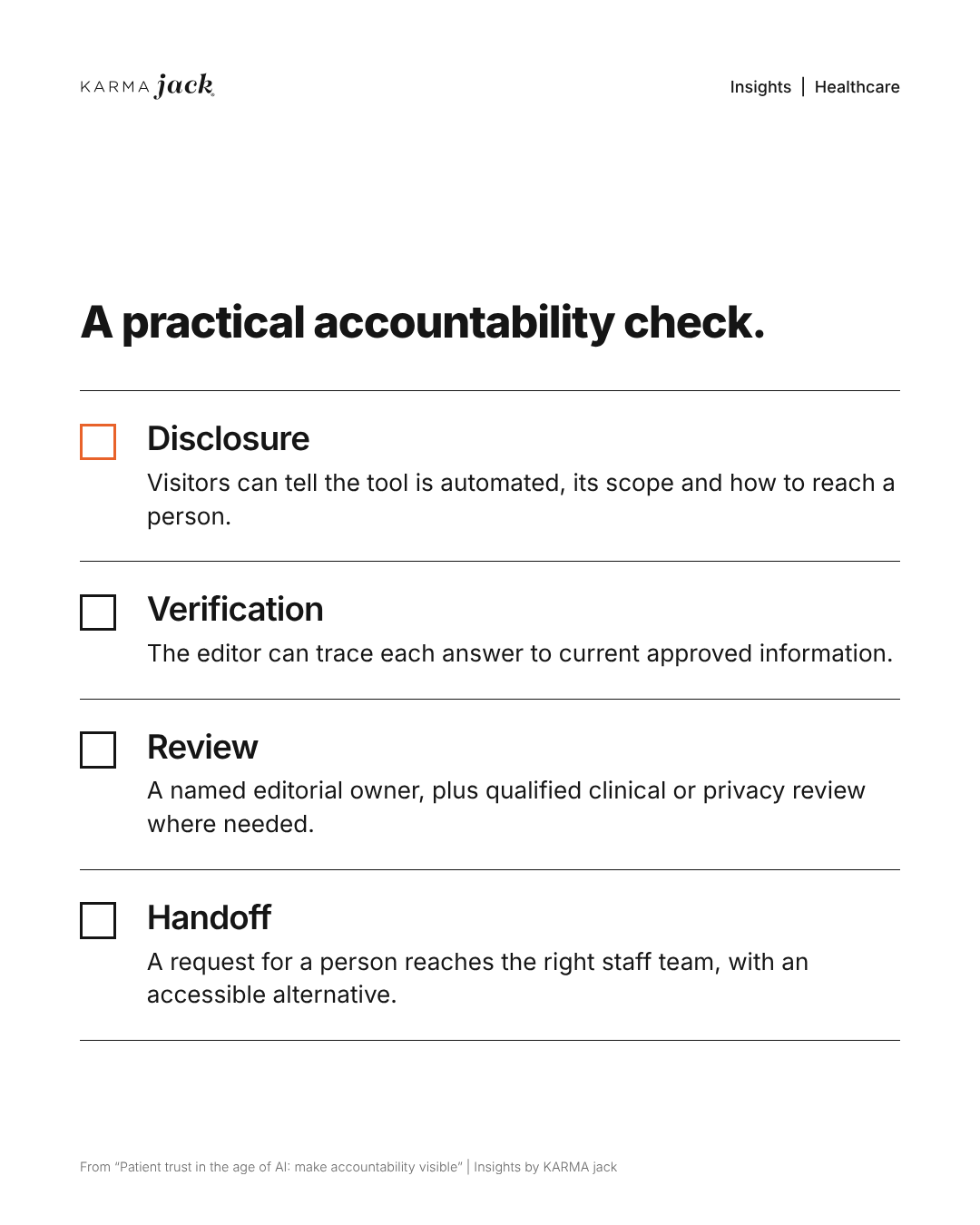
Before a patient-facing tool or article goes live, give each of these checks an owner and a recorded result:
- Disclosure: can a visitor tell that the tool is automated, what it can handle and how to reach a person without searching a policy page?
- Verification: can the editor trace an answer to current approved information? For a location question, compare the answer with the actual office page and staff-confirmed details.
- Review: is there a named editorial owner, plus a qualified clinical or privacy reviewer for statements that need that expertise? Show only reviews that really happened.
- Handoff: does a request for a person reach the intended staff team, with an accurate response expectation and an accessible alternative?
What should a healthcare chatbot tell visitors?
Put a short introduction above the chat’s first message. Name the tasks the assistant can handle and place a clearly labeled contact option beside the conversation. For an assistant limited to public office information, an introduction could read:
“I’m an automated assistant. I can help you find office hours, locations and the appointment-request page. For questions about symptoms, treatment or your records, contact the office through the phone number or patient portal listed on our contact page. Please keep personal health information out of this chat.”
Adapt that example to the tool’s actual capabilities and the organization’s approved contact routes. Then check three details:
- Identity: Label the tool as automated. Its name, avatar and answers should accurately represent its role.
- Scope: List the public information it may use, such as approved location pages and current office hours. Configure a staff handoff for questions outside that scope.
- Access to a person: Keep the phone or contact option visible on mobile and desktop. State actual staffed hours and explain what happens after hours.
A warning alone does not protect information people enter. Before enabling the tool, have the privacy and security reviewers check what it collects, where conversations are stored, who can access them and whether the proposed use is appropriate.
Keep people accountable for published information
Give every patient-facing page and automated answer a named owner. A small content register can record the page or answer, its approved source, the responsible person, the last review date and the next review trigger.
For example, the office manager can verify hours and locations against current operating information. A designated clinical reviewer should check medical statements. A privacy reviewer should assess requests for patient information and the systems receiving it.
Before publishing a change, ask the owner to:
- Compare factual statements with the approved source.
- Open every contact, location and booking link.
- Check whether the wording promises a service, response time or appointment the organization can actually provide.
- Record who reviewed it and the actual review date.
The World Health Organization’s Ethics and governance of artificial intelligence for health: Guidance on large multi-modal models addresses ethics and governance alongside the technology. For an office team, assigning review responsibilities and deciding who can pause a tool are practical starting points.
How should a patient reach a person?
Write down the destination for each request the assistant cannot resolve. Appointment changes might go to scheduling staff. Records requests should follow the organization’s established records process. Clinical questions need the organization’s approved clinical contact route.
Use fictional information to test these situations before launch:
- “I want to speak to someone.” The contact option should appear immediately, without repeated prompts.
- “That address is wrong.” The assistant should offer a staff contact and provide a way for the team to flag the answer for correction.
- “Can you explain my test result?” The assistant should direct the person to the approved clinical channel and avoid requesting results in a public-information chat.
- “Did you book my appointment?” The answer should accurately distinguish an appointment request from a confirmed booking.
- A request arrives after hours. The response should explain the available route and actual hours without implying that someone is monitoring the chat.
Have clinical staff approve how the tool handles urgent or emergency language. Test that response separately. Transfer conversation details only through a process approved for the information involved. Keep a phone alternative available, and test whether someone using a keyboard or screen reader can reach it.
Protect privacy in public replies
This applies to medical offices, dental offices, clinics and other healthcare organizations responding to reviews on Google, Yelp or social media. A reviewer’s public account of a visit does not give the organization permission to disclose protected health information in its response.
HHS’s December 14, 2022, New Vision Dental settlement announcement describes enforcement over patient information disclosed in online review responses. The practical lesson is to review the reply before posting, even when the reviewer has already shared personal details.
Create a short library of response templates for the privacy officer or designated privacy reviewer to approve. Each template should acknowledge feedback in general terms, provide a verified contact route and leave individual care details out of the public conversation. For example:
“Thank you for sharing feedback. To discuss a concern directly with our office manager, please call the office number listed on our website.”
Use that example only after confirming that the office manager handles these concerns and that the listed number reaches the right team. The reviewer should approve the wording for the organization’s circumstances. Each response still needs a review for the information it contains and the situation it addresses.
Before posting any reply, check that it:
- Avoids confirming that the reviewer is a patient or received care.
- Leaves out appointment dates, diagnoses, treatment, billing and insurance details.
- Avoids adding a person’s full name or repeating health information from the review.
- Directs follow-up to a verified phone or approved secure channel, without asking for medical details in a public comment or social-media direct message.
Have a trained staff member review the final wording, including AI-generated edits. Route unusual or sensitive complaints to the privacy reviewer before responding. If a reply may already have disclosed protected information, escalate it promptly through the organization’s privacy-incident process.
Check whether the experience works
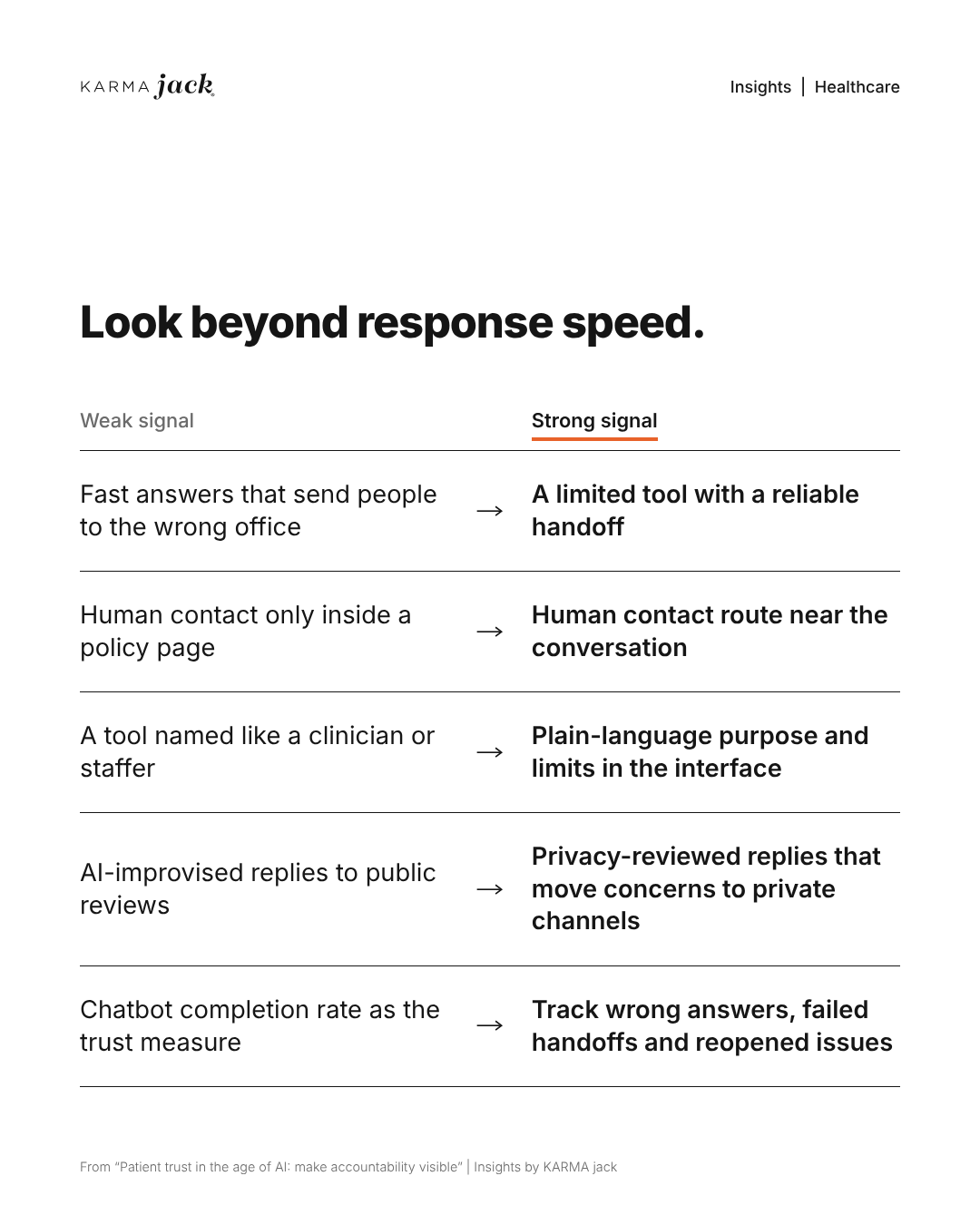
Give routine corrections, service complaints and potentially clinical or privacy-sensitive concerns a named staff owner, a backup and an honest response expectation. Keep sensitive details in the practice’s approved systems. In the weekly review, count reopened issues and use a worsening pattern to pause or narrow the affected function.
During an initial pilot, review performance weekly with the staff who receive handoffs. Track a few measures consistently:
- Answer accuracy: How many reviewed answers match the current approved source?
- Handoff success: How many tested contact routes reach the intended team or process?
- Unresolved requests: Which questions leave people without a usable next step?
- Correction work: How much staff time goes into fixing wrong answers or misrouted requests?
Record the number of interactions or tests reviewed so the team can interpret the results. Use only information and reporting methods approved for this purpose. A short feedback question, such as “Were you able to find the next step you needed?”, can reveal problems worth investigating.
Include tests on mobile, with keyboard navigation and with the languages the organization supports. Ask staff where people get stuck. Keep other contact routes available while the team addresses the gaps.
Make corrections part of the system
Create one internal route for reporting errors. Ask staff to record the affected page or answer, what was wrong and the correct approved source. Keep patient information out of general marketing task boards.
Assign an owner to each issue. That person should correct the source, update the affected answer and rerun the original test. Check related pages and answers for the same error. Record the fix and verification date before closing the issue.
Decide in advance who can pause an affected function when a privacy concern, unsafe response or repeated failed handoff needs investigation. Resume it after the responsible reviewers have checked the correction.
Common question: should patients know when they use AI?
Clear disclosure is a sound design practice. Identify the automated tool at the start of the interaction, explain the tasks it can handle and keep a contact route visible. Have counsel review any specific disclosure obligations that apply to the organization and use case.
Can a healthcare office repeat information a patient posted in a public review?
Do not treat the review as permission to disclose protected information. Keep replies general, avoid confirming patient status or care details, and direct concerns to a verified approved contact route after review.
Is a warning enough to protect information entered into a chatbot?
No. Privacy and security reviewers still need to assess collection, storage, access and the proposed use. A public-information assistant should clearly explain its scope and direct personal health matters to approved channels.
What should happen after an automated answer is corrected?
Correct the approved source and the affected answer, rerun the original test and check related content for the same error. Record the owner and verification date before closing the issue.
Talk with KARMA jack about clear, human healthcare marketing and a website experience people can navigate. Keep the organization’s clinical, privacy and operational reviewers involved in every patient-facing workflow.

