
AI citation optimization helps a business check and correct how AI answers represent its information. Start with a customer question, save the answer and its source links, then compare each important claim with the cited page. Fix information you control and report errors elsewhere through the relevant platform or publisher.
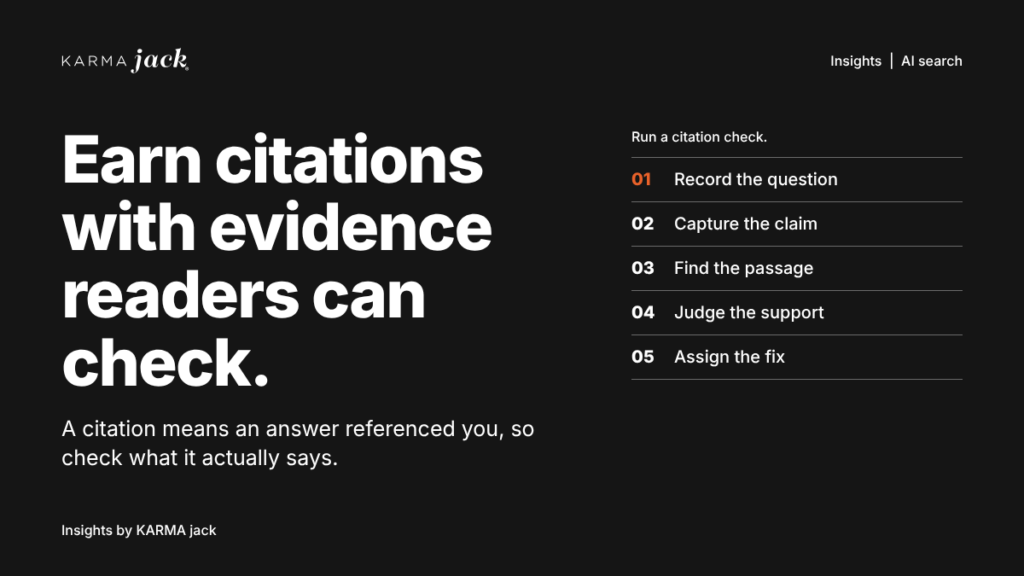
For a marketing lead, the first useful deliverable is a citation check record with an owner and a next action. The workflow below is an editorial recommendation for reviewing accuracy. It does not guarantee that a platform will cite your website or change an answer after feedback.
What is the difference between a citation, a mention and a referral visit?
- Citation: A source reference attached to an answer. Open the linked page to see whether it supports the claim.
- Brand mention: Your business is named in the answer. A mention may have no link to your website.
- Referral visit: A measurable visit that reaches your website from a platform. Record the attribution limits of the analytics system you use.
Keep these observations separate. An answer can mention a business while citing a directory, or cite a page without producing a measurable visit. Review qualified inquiries and completed business through their own records.
Use a five-field citation check record
Choose a small set of questions connected to actual customer decisions. Save the answer before making corrections, then complete these fields:
- Question context: Exact question, platform, date and location context. Record any account or conversation context that could affect the answer.
- Claim and URL: The exact claim and the URL cited beside it. Distinguish a citation attached to the claim from another link in a broader source list.
- Supporting passage: The passage on the cited page that supports the claim, with its date, population, scope and relevant qualification.
- Assessment: Supported, partly supported or unsupported. Give a short reason that another reviewer can check.
- Action: The correction needed, who can make it, the assigned owner and the next review date. Keep a record of what was changed or reported.
Supported: The cited passage supports the claim and its scope. Partly supported: Some of the claim is supported, but a condition or detail is missing or overstated. Unsupported: The page does not substantiate the claim, contradicts it or concerns a different subject.
Use these as editorial assessment categories. They are a working review method, not platform scores or a measure of market visibility.
Where do AI search platforms show sources?
ChatGPT search: Search responses may include clickable citations. The Sources control, when available, can include cited sources and other relevant links. Check which link supports the statement you are reviewing rather than treating every listed page as evidence for every claim. OpenAI also warns that sources can be outdated or incorrect. See OpenAI’s ChatGPT search guidance.
Google AI Overviews and AI Mode: These experiences surface supporting links to websites. The presentation and results can vary, and eligibility does not guarantee that a page will appear. Open the relevant supporting link and compare the claim with the page. See Google’s guidance on AI features and websites.
Bing and Copilot reporting: Bing Webmaster Tools’ AI Performance reporting can show cited URLs and aggregated citation activity across supported experiences. Use that reporting to identify pages worth inspecting. Aggregated counts do not tell you that each individual answer was accurate or that a citation produced traffic. See Microsoft’s AI Performance explanation.
Interfaces and reporting coverage change. Check the current platform instructions and save the conditions of your review.
Match the correction to the source of the error
Your page contains the error: Have the responsible owner verify the fact, correct the page and check other maintained pages that repeat it. Keep the source and its qualification together. Google’s helpful-content guidance supports clear sourcing, original information and evidence of relevant expertise.
Your page is accurate, but the answer misrepresents it: Save the answer, cited URL and supporting passage. Explain the exact mismatch through the platform’s feedback route. A clearer passage may help readers, but do not rewrite accurate facts merely to match an incorrect answer.
An outside page has the wrong information: Use that publisher’s correction process, or update the listing if your business has legitimate access. Record the request and recheck the public result. Avoid assuming that a submitted correction has already taken effect.
The answer refers to another business: Verify the cited page and business identity before changing anything. Check your own name, location and contact information for ambiguity, then report the specific mismatch.
How can you report an incorrect answer?
For ChatGPT response feedback, use the thumbs-down control below the response. OpenAI’s former web feedback form has been deprecated. The separate Report route concerns potentially unlawful content or violations of its terms; it is not a general promise to correct business information. Follow OpenAI’s current feedback instructions.
For a Google AI Overview, Google’s instructions describe selecting thumbs-down, choosing Report a problem, supplying the relevant category and details, then submitting. The feedback includes the latest query and results, so review what you are submitting. See Google’s AI Overview feedback instructions.
Describe the claim, the error and the public evidence needed to understand it. Keep private customer records out of the submission. Feedback does not guarantee a change or establish a correction deadline.
A fictional citation check in practice
Suppose an answer says a contractor offers emergency repairs around the clock, but the cited service page says appointment requests are reviewed during office hours. The reviewer records the exact answer and passage, marks the availability claim unsupported and asks the operations owner to confirm the actual service.
If the page is correct, the next action is platform feedback identifying the mismatch. If an outdated page also promises round-the-clock service, its owner corrects that page and checks other maintained listings. At the next review, save the new answer separately. A different answer in one test is an observation; it does not prove that every user will now see the corrected information.
How do I check whether an AI answer represents my page correctly?
Compare the exact claim with the cited passage. Check the subject, date, geography, included work and limitations. Record unsupported additions or missing qualifications in the five-field check record, then have another reviewer check consequential findings.
What should I do when an AI answer gets my business wrong?
Save the evidence and identify where the error originates. Correct your own information, request corrections from outside publishers where needed and use the platform’s feedback route for an answer you cannot edit. Assign an owner and recheck without promising an outcome.
More questions about citation checks
What makes a citation partly supported?
The cited passage supports some of the claim, but a condition or detail is missing or overstated. Save the relevant passage and explain the mismatch so another reviewer can check your assessment.
Should we change accurate website facts to match an incorrect AI answer?
No. Preserve the accurate source, save the answer and cited passage, and report the mismatch through the platform’s feedback route. A clearer explanation may help readers, but it does not guarantee a changed AI answer.
What if incorrect information comes from a third-party listing?
Use the publisher’s correction process or update the listing through your business’s legitimate access. Assign an owner and follow-up date, then verify the public result rather than treating a submitted request as a completed correction.
Make the next correction specific
Start with one customer question and one consequential claim. Bring the saved answer, cited page and supporting evidence to the person who owns that information. KARMA jack’s on-page SEO and content work can help make your website’s explanation clearer and easier to verify. Talk with KARMA jack about the page and customer decision you want to improve.

